“Hello. I need a advice regarding the two tools XTOOL X100 PAD2 full and OBDSTAR X300 DP PLUS.
i can not decide myself which one to choose. both of them got almost
same function,but i don”t know which one does what says. so please
someone who own them or who works with them can light me up. i saw that
both have function for immo 4 and 5 but they really work. thanks”
Tech support via obd2tool.com:
Xtool x100 pad2 full and Obdstar x300 DP (key master dp) full mainly differs in functions and hardware specification. You can refer to charts below. Hope it helps you out.
Obdstar X300 DP Full vs Xtool X100 PAD2 Full
Function comparison:
Hardware comparison:
Conclusion:
OBDSTAR X300 DP is superior to XTOOL X100 PAD 2 in many aspects, such as functions and hardware, but X300 DP supports Chinese and English only.
Functions:
1). X300 DP supports more functions, full-system diagnosis and no need to inquiry pin code.
X100 PAD 2 supports four-system diagnosis only and does not support Bluetooth & One Key Enter functions and need inquiry manually.
2). Both support VAG 4th and 5th generation immo key programming function. X300 DP full requires to purchase an extra RFID adapter. Xtool X100 Pad 2 requires a KC100 adapter as well, but it is already included in the package.
Hardware:
X300 DP obdstar has faster CPU, bigger RAM, long lasting battery and higher resolution.
Tech support via obd2tool.com:
Xtool x100 pad2 full and Obdstar x300 DP (key master dp) full mainly differs in functions and hardware specification. You can refer to charts below. Hope it helps you out.
Obdstar X300 DP Full vs Xtool X100 PAD2 Full
Function comparison:
| OBDSTAR X300 DP Full | XTOOL X100 PAD2 Full | |
| image | 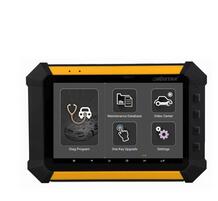 |
 |
| OBDII Diagnosis | Yes, for ALL systemsOBDII + Diagnosis (Japanese and Korean cars) | Yes, for FOUR systems only |
| Immobilizer | Yes | Yes |
| DPF PIN Code Reading | No | Yes |
| Odometer Adjustment(change km via OBD) | Yes | Yes |
| EEPROM/PIC Adapter | Yes | Yes |
| EPB | Yes | Yes |
| TPS | Yes | Yes |
| TPMS(Tire Pressure Warning Light Reset) | Yes | Yes |
| SRS Reset | Yes | No |
| Fuel Injector | Yes | No |
| Steering Angle Calibration | Yes | Yes |
| CVT Learning/Value Reset | Yes | No |
| Oil Reset/Engine Oil Light Reset | Yes | Yes |
| Battery Reset | Yes | Yes |
| Diesel Particulate Filter | No | Yes |
| Hexadcimal Editor(Win Hex) | No | Yes |
| Timing Belt Light Reset (Manual Operation) | No | Yes |
| Pincode inquiry | 7*24 hours automatic inquiry is available for most pin code | Manual inquiry |
| VAG 4th & 5th Immo Key Programmer | Require OBDSTAR RFID Adapter (need purchase alone) | Require Xtool KC100 adapter (full version comes in default) |
Hardware comparison:
| OBDSTAR X300 DP | XTOOL X-100 PAD 2 | |
| Operating System | Android 5.1 | Android 4.4 |
| CPU | Samsung Exynos4418 A9 industrial-grade processor | Rockchip civil-grade processor |
| Storage space | FLASH 16G | FLASH 16G |
| RAM | 2G | 1G |
| Battery | 7400mAh | 4000mAh |
| Resolution | 1280*800 | 1024*768 |
| Screen size | 7 inch | 8 inch |
| HDMI | Yes | Yes |
| Bluetooth | Yes | No |
| WIFI | Yes | Yes |
| Dimension | 215*147*30 | 240*177*24 |
| Shell | Three proofing and industrial-grade shell with rubber coating | Civil-grade |
| One key update | Yes | Yes |
| One key enter | Yes | No |
| Language | English, simplified Chinese, traditional Chinese | French, Arabic, Spanish, Persian, German, Russian, Portuguese |
| Database | Built-in database | Optional, pay extra |
| Technical support | Expert service team | Expert service team |
| Price in OBD2TOOL | US$899 | US$888 |
Conclusion:
OBDSTAR X300 DP is superior to XTOOL X100 PAD 2 in many aspects, such as functions and hardware, but X300 DP supports Chinese and English only.
Functions:
1). X300 DP supports more functions, full-system diagnosis and no need to inquiry pin code.
X100 PAD 2 supports four-system diagnosis only and does not support Bluetooth & One Key Enter functions and need inquiry manually.
2). Both support VAG 4th and 5th generation immo key programming function. X300 DP full requires to purchase an extra RFID adapter. Xtool X100 Pad 2 requires a KC100 adapter as well, but it is already included in the package.
Hardware:
X300 DP obdstar has faster CPU, bigger RAM, long lasting battery and higher resolution.
Comments
Post a Comment